
ProfitPlus Calculator
1. Profit Percentage
🔄 ⭐2. Loss Percentage
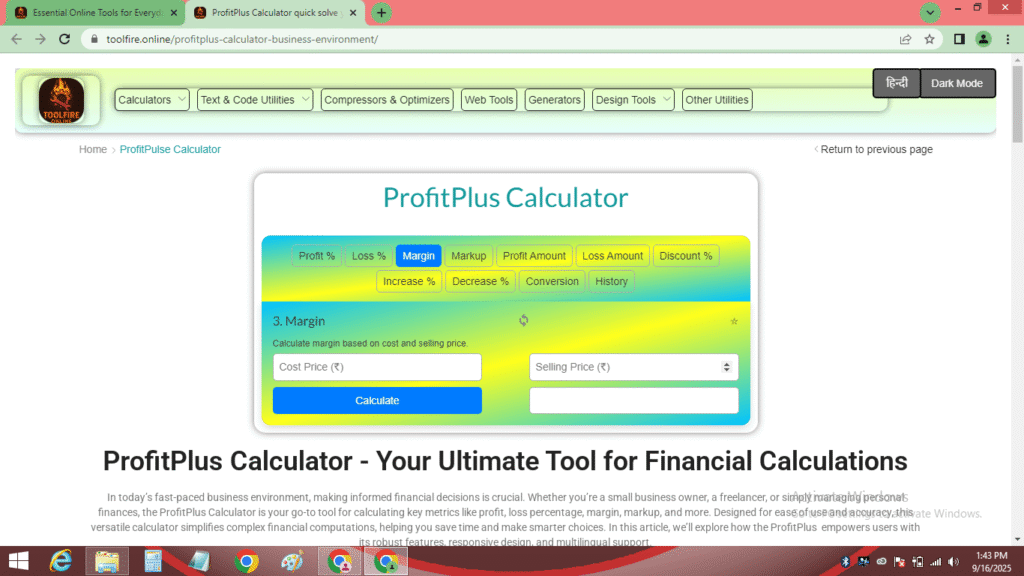
🔄 ⭐3. Margin
🔄 ⭐4. Markup
🔄 ⭐5. Profit Amount
🔄 ⭐6. Loss Amount
🔄 ⭐7. Discount Percentage
🔄 ⭐8. Increase Percentage
🔄 ⭐9. Decrease Percentage
🔄 ⭐10. Percentage Conversion
🔄 ⭐Calculation History
| Calculation Type | Input 1 | Input 2 | Result | Favorite |
|---|
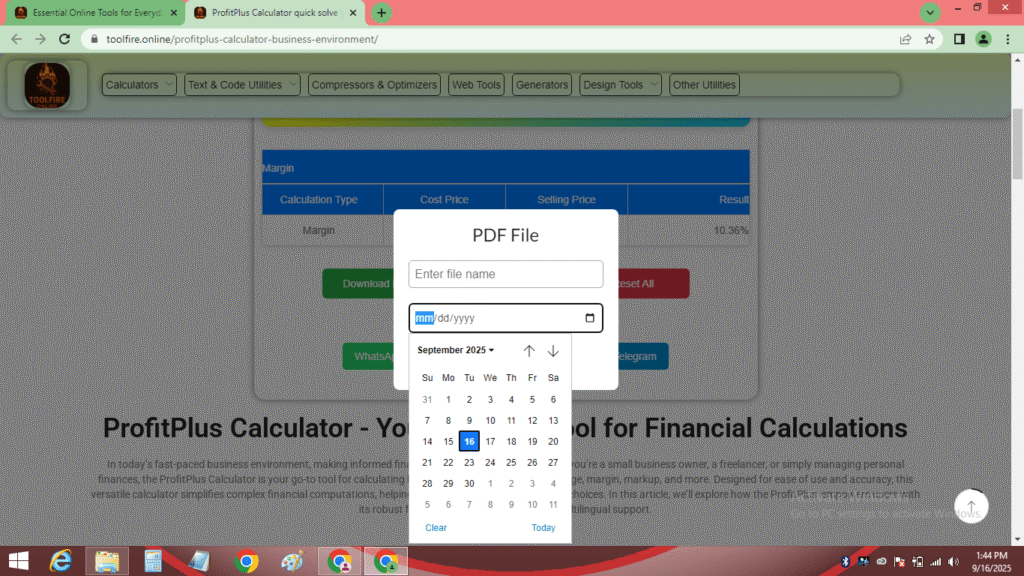
PDF File
ProfitPlus Calculator - Your Ultimate Tool for Financial Calculations
In today’s fast-paced business environment, making informed financial decisions is crucial. Whether you’re a small business owner, a freelancer, or simply managing personal finances, the ProfitPlus Calculator is your go-to tool for calculating key metrics like profit, loss percentage, margin, markup, and more. Designed for ease of use and accuracy, this versatile calculator simplifies complex financial computations, helping you save time and make smarter choices. In this article, we’ll explore how the ProfitPlus empowers users with its robust features, responsive design, and multilingual support.
Why Choose the ProfitPlus Calculator?
The ProfitPlus Calculater stands out due to its comprehensive functionality and accessibility. Here’s why it’s a must-have tool:
- Versatile Calculations The supports a wide range of calculations, such as profit, loss percentage, margin, markup, profit amount, loss amount, discount , increase , decrease , and percentage conversion. Each calculation is accessible via a dedicated tab, making navigation seamless.
- Responsive and Accessible Design Built with a mobile-friendly interface, the ProfitPlus adapts to any device, from desktops to smartphones. Its accessibility features, like ARIA labels, ensure that users with assistive technologies can navigate the tool effortlessly. Whether you’re on the go or at your desk, the tool is always ready to assist.
- Multilingual Support The calculator offers a language toggle between English and Hindi, making it inclusive for diverse users. This feature is particularly beneficial for Hindi-speaking users who prefer instructions and results in their native language.
- History and Favorites The tool saves your calculations in a history log, allowing you to review past results. You can also mark calculations as favorites for quick access, ensuring you never lose track of important data.
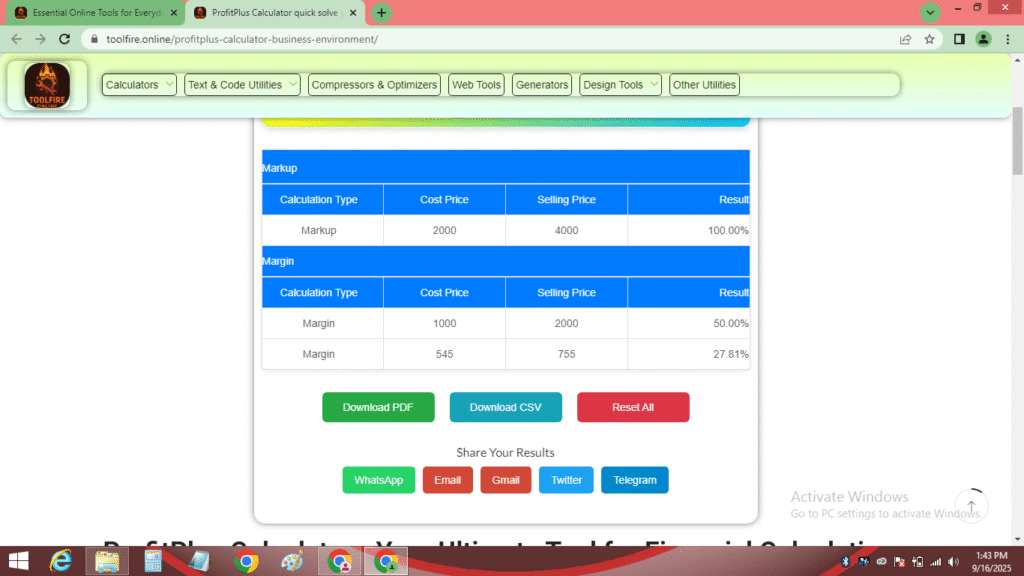
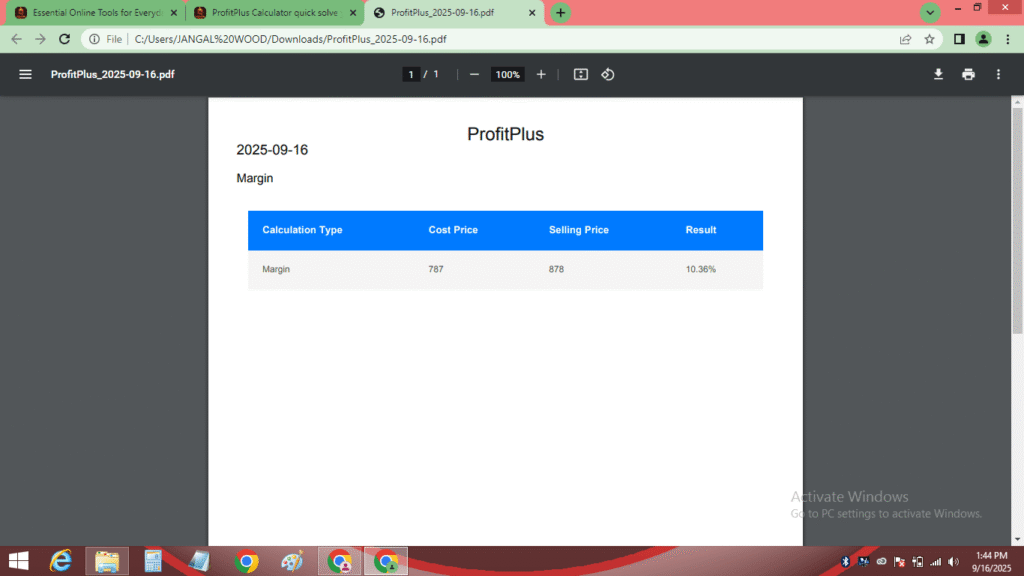
- Export and Share Options With the ProfitPlus, you can download your results as PDF or CSV files, complete with customizable file names and dates. Additionally, the tool supports sharing results via WhatsApp, email, Gmail, X, and Telegram, making it easy to collaborate with colleagues or clients.
How to Use the Calculator
Using the ProfitPlus is straightforward, even for those new to financial calculations. Here’s a step-by-step guide:
- Select a Calculation Type Choose from the ten available tabs, such as profit, loss percentage, or margin. Each tab is clearly labeled for easy access.
- Enter Your Inputs Input the required values, such as cost price and selling price for profit percentage or original price and sale price for discount percentage. The calculator validates inputs to prevent errors, ensuring accurate results.
- View and Save Results Click the “Calculate” button to see instant results. You can save the calculation to the history log, mark it as a favorite, or export it as a PDF/CSV file.
- Share Your Results Use the sharing options to send your calculations via social platforms or email, perfect for business reports or personal records.
Key Features of the Profit Calculator
The ProfitPlus is packed with features that enhance its usability and functionality:
- Dark Mode: Switch between light and dark themes for comfortable viewing in any lighting condition.
- Error Handling: The tool provides clear error messages for invalid inputs, such as when the selling price is less than the cost price for profit percentage calculations.
- Data Persistence: Calculations and favorites are stored in your browser’s local storage, ensuring they’re available even after a page refresh.
- Responsive Tables: Results are displayed in organized tables, with options to reset individual calculations or clear the entire history.
- SEO Optimization: Hosted on www.toolfire.online, the
- ProfitPlus is designed with SEO-friendly features to ensure high visibility on search engines.
Benefits for Different Users
The ProfitPlus caters to a wide audience, including:
- Small Business Owners: Calculate profit percentage, margin, or markup to optimize pricing strategies and boost profitability.
- Retailers: Use the discount percentage to plan sales and attract customers.
- Students and Educators: The percentage conversion and increase/decrease percentage are ideal for learning and teaching financial concepts.
- Freelancers: Track profit amount or loss amount for projects to ensure financial clarity.
By offering tailored calculations, the empowers users to make data-driven decisions with confidence.
How the ProfitPlus Calculator Enhances Financial Planning
Financial planning requires precision, and the ProfitPlus delivers just that. For instance, calculating profit percentage helps businesses understand their return on investment, while loss percentage calculations highlight areas for improvement. The margin and markup calculators provide insights into pricing strategies, ensuring competitive yet profitable pricing. Additionally, the discount percentage calculator helps retailers create attractive offers without compromising profitability.
The ability to export results as PDF or CSV files makes the ProfitPlus ideal for professional reports, while the sharing options facilitate collaboration. Whether you’re analyzing profit amount or loss amount, this tool streamlines the process, saving you time and effort.
Frequently Asked Questions (FAQs)
Q1: What is the ProfitPlus ? A: The ProfitPlus is an online tool that performs financial calculations like profit percentage, loss percentage, margin, and markup percentage, with features like history tracking, favorites, and result sharing.
Q2: Is the ProfitPlus free to use? A: Yes, the ProfitPlus is completely free and accessible on www.toolfire.online.
Q3: Can I use the ProfitPlus on my mobile device? A: Absolutely! The ProfitPlus is fully responsive, ensuring a seamless experience on smartphones, tablets, and desktops.
Q4: Does the ProfitPlus support multiple languages? A: Yes, it offers a toggle between English and Hindi, making it accessible to a broader audience.
Q5: How can I save or share my calculations? A: You can save calculations in the history log, mark them as favorites, or export them as PDF/CSV files. Sharing options include WhatsApp, email, Gmail, X, and Telegram.
About/Contact Us
ToolFire is dedicated to providing innovative, user-friendly tools to simplify everyday tasks. The ProfitPlus Calculator is one of our flagship offerings, designed to empower users with accurate financial calculations. Visit www.toolfire.online to explore more tools and resources for business and personal finance.
Have questions or feedback about the ProfitPlus ? Reach out to us:
- Email: support@toolfire.online
- Website: www.toolfire.online/contact
- Social Media: Follow us for updates and tips.
Quora – Real-life problem discussions.
Medium – Helpful blogs and articles.
YouTube – Tutorials about percentage calculations.
Facebook – Join student and learner groups.
About.me – Connect with professionals.
Also, don’t forget to visit our internal pages:
Conclusion
The ProfitPlus is an indispensable tool for anyone looking to simplify financial calculations. With its ability to calculate profit percentage, loss percentage, margin, markup, and more, it caters to diverse needs, from business planning to personal finance management. Its responsive design, multilingual support, and export/sharing options make it a versatile and user-friendly choice. Visit www.toolfire.online today to experience the power of the ProfitPlus and take control of your financial decisions.