

SuperWASupport: The Ultimate WhatsApp Support Plugin for WordPress
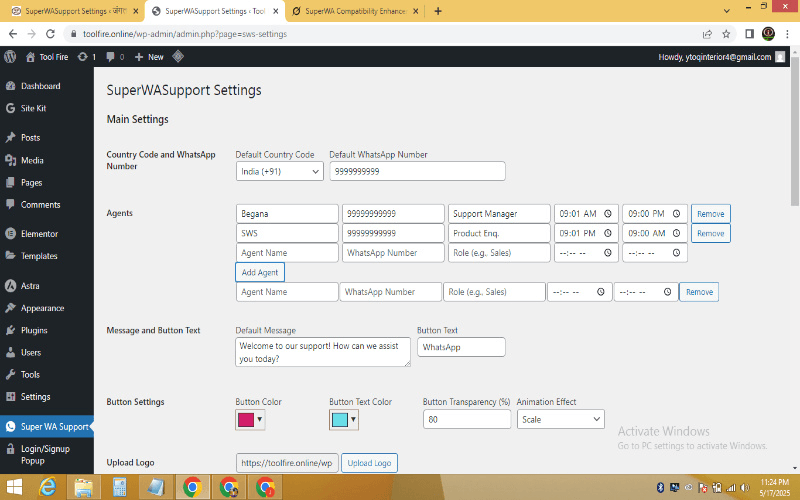
Improve your website’s customer service with SuperWASupport, the leading WhatsApp support plugin for WordPress. This powerful tool seamlessly integrates WhatsApp chat functionality, allowing businesses to connect with customers instantly. With features like agent management, customizable buttons, and attractive popups, this WhatsApp support plugin transforms the way you connect with your audience.
Why Choose SuperWASupport?
SuperWASupport is designed to elevate customer support through a robust WhatsApp chat plugin. It offers a user-friendly interface, advanced customization, and seamless integration with WordPress. Whether you run an eCommerce store, a blog, or a service-based website, this WhatsApp Support Plugin ensures real-time communication, boosting customer satisfaction and loyalty.
How to Use SuperWASupport
Using SuperWASupport is simple and intuitive. After installing the WhatsApp Support plugin, access the settings through the WordPress admin dashboard. Configure your agents, set up the WhatsApp floating button, and customize the WhatsApp popup plugin according to your brand. Add your default WhatsApp number, country code, and welcome message. Once activated, the WhatsApp Support tool displays a floating button on your website, allowing visitors to instantly connect with your team via WhatsApp.
Key Features of SuperWASupport
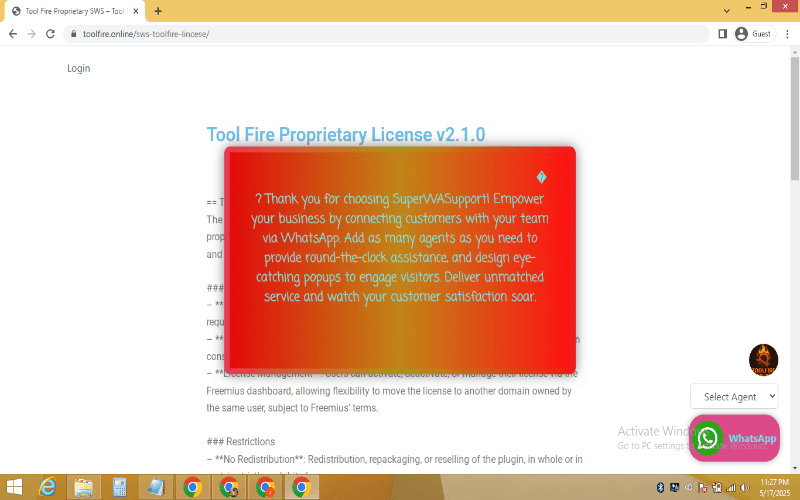
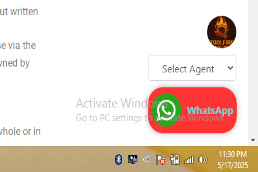
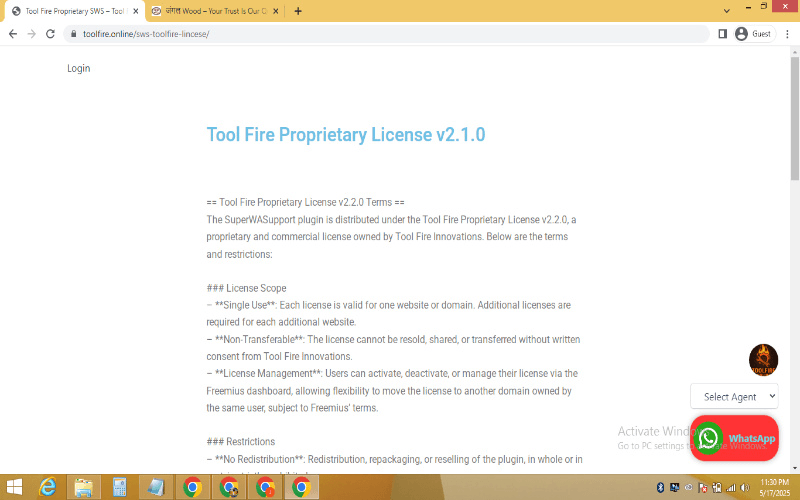
- Customizable WhatsApp Floating Button: Create a visually appealing WhatsApp floating button with adjustable colors, transparency, and animation effects (scale, bounce, rotate, pulse). Tailor the button text to match your brand’s voice.
- Multi-Agent Management: The WhatsApp agent management feature lets you add multiple agents with specific roles and availability times, ensuring round-the-clock support. Only online agents are displayed, enhancing efficiency.
- Engaging Welcome Popup: Capture attention with a customizable WhatsApp popup plugin. Adjust gradient backgrounds, border styles, fonts, and sizes to create an eye-catching welcome message that drives engagement.
- Logo and Icon Upload: Personalize your WhatsApp Support Plugin with your brand’s logo and a custom WhatsApp icon, ensuring a cohesive look.
- Country Code Support: Easily configure country codes for phone numbers, making the WhatsApp support tool accessible globally.
- Responsive Design: The WhatsApp chat plugin adapts seamlessly to mobile, tablet, and desktop devices, ensuring a smooth user experience.
- Analytics Tracking: Monitor user interactions with the WhatsApp floating button to optimize your support strategy.
Who Can Use SuperWASupport?
SuperWASupport is ideal for:
- eCommerce Businesses: Offer real-time WhatsApp customer service to resolve queries and boost sales.
- Bloggers and Content Creators: Engage readers with a WordPress live chat feature for instant feedback.
- Service Providers: Use WhatsApp management to assign dedicated support staff for clients.
- Small to Large Enterprises: Scale customer support with the WhatsApp support tool for seamless communication.
- Developers and Agencies: Integrate the WhatsApp Support Plugin into client websites for enhanced functionality.

Why WhatsApp for Customer Support?
WhatsApp is a globally trusted platform with over 2 billion users, making it a perfect channel for WhatsApp customer service. By integrating a WhatsApp chat plugin, businesses can provide instant, personalized support, reducing response times and improving customer trust. SuperWASupport’s WordPress live chat capabilities make it easy to connect with customers on their preferred platform.
How to Use SuperWASupportStart with 1-Month
Experience the power of SuperWASupport with a 1-month free trial. Test all premium features, including WhatsApp management and the WhatsApp popup plugin, without any upfront cost. No credit card required—just activate the WhatsApp Support Plugin and see the difference in customer engagement.
Frequently Asked Questions (FAQs)
Q1: What makes SuperWASupport different from other WhatsApp plugins?
A: SuperWASupport stands out with its advanced WhatsApp management, customizable WhatsApp floating button, and responsive WhatsApp popup plugin, offering unmatched flexibility for WordPress users.
Q2: Is SuperWASupport compatible with all WordPress themes?
A: Yes, the WhatsApp Support Plugin includes a compatibility layer to ensure seamless integration with any WordPress theme, delivering a consistent WordPress live chat experience.
Q3: Can I customize the popup and button designs?
A: Absolutely! Adjust colors, Animations, fonts, and sizes for both the WhatsApp popup plugin and WhatsApp floating button to align with your brand.
Q4: How does the agent availability feature work?
A: The WhatsApp support tool checks agent availability based on set start and end times, displaying only online agents in the dropdown for efficient WhatsApp customer service.
Additional Resources
- License: View our Tool Fire Proprietary License for details.
- Privacy Policy: Read our Privacy Policy to understand data handling.
- About Us: Learn more about our mission at Tool Fire.
- External Resources:
- Explore our profile on About.me for more about our work.
- Check out our insights on Medium.com for customer support tips.
- Join discussions on Quora to learn how others use WhatsApp customer service.
Why SuperWASupport Stands Out ?
Unlike other WordPress live chat plugins, SuperWASupport combines powerful features with ease of use. The WhatsApp support tool empowers businesses to deliver exceptional WhatsApp customer service through a fully customizable interface. From the WhatsApp floating button to the WhatsApp popup plugin, every element is designed to enhance user engagement and drive conversions.
Get Started Today
Ready to revolutionize your customer support? Install SuperWASupport, the ultimate WhatsApp Support Plugin, and start your 1-month free trial today. Connect with customers effortlessly, manage agents with ease, and create a lasting impression with a professional WordPress live chat solution. Download now and experience the future of WhatsApp customer service!
Disclaimer
SuperWASupport is provided under the Tool Fire Proprietary License v2.1.0 Pro. Unauthorized modification or distribution is prohibited. Tool Fire is not liable for any damages arising from plugin use. Always back up your website before installing any WhatsApp Support Plugin.